A family pizza order works best when you build it around what everyone wants, then set it up for pickup. For family pizza meal deals in Bethesda, choose pizzas for the group, add sides if you’d like them, and place the order online with pickup selected at checkout.
A family meal does not have to be a preset bundle. Start with who’s eating and which toppings they enjoy, then choose pizzas and sides to suit the group. This makes it easier to build an order around your family’s preferences.
This guide explains how to plan a family order, arrange pickup in Bethesda, and choose options that work for your table. Manny & Olga’s Pizza offers familiar favorites, including cheese and pepperoni pizzas, alongside sides and salads.
Key Takeaways
- Build a family order around appetites and topping preferences, then choose sides to round out the meal.
- Use the restaurant’s online ordering options to assemble your meal and select pickup in Bethesda.
- Review any deal’s ordering conditions and timing so you can plan around the meal you want.
- Compare vegetarian and gluten-free choices with your group’s needs, and distinguish dietary preferences from allergy concerns.
- Explore familiar picks such as Cheese Pizza, Pepperoni Pizza, Manny’s Special Pizza, and Meat Lovers Pizza when deciding what to share.
Family meal bundles
A family meal brings together a main dish and choices that suit different appetites. Decide who’s eating, which pizzas they like, and whether sides would round out the meal.
Family Bundle Options
A bundle may be a preset combination or an order you assemble from separate menu items. Start by comparing what the meal includes, such as pizza count, sizes, toppings, and any sides. For example, a cheese pizza can suit simpler tastes, while pepperoni offers a familiar alternative for another diner.
Match the order to your table instead of adding extras automatically. Count the people eating, note who wants the same toppings, and separate shared items from individual preferences. A quick list can help you avoid ordering several pizzas with the same toppings when the group wants variety.
- Choose the main: Pick familiar toppings or a mix that accommodates different preferences.
- Consider sides: Add a salad or another side only if it fits the meal.
- Review portions: Compare the listed sizes and quantities before adding items.
Comparing the actual contents is more useful than relying on the word “family.” Offers can differ in included items, choices, and portion sizes. Read the menu details, then compare the complete order with the meal your group wants.
Deal Timing and Rules
If you’re considering a promotion, read its terms before ordering. Check the stated days, ordering period, eligible items, and any substitution conditions. These details help you decide whether an offer fits your planned meal.
For an online order, open the bundle details, select the listed choices, and review the cart before submitting. If a special offer appears only for certain days or ordering periods, its terms should explain when it applies. Plan around those terms instead of assuming every deal works throughout the week.
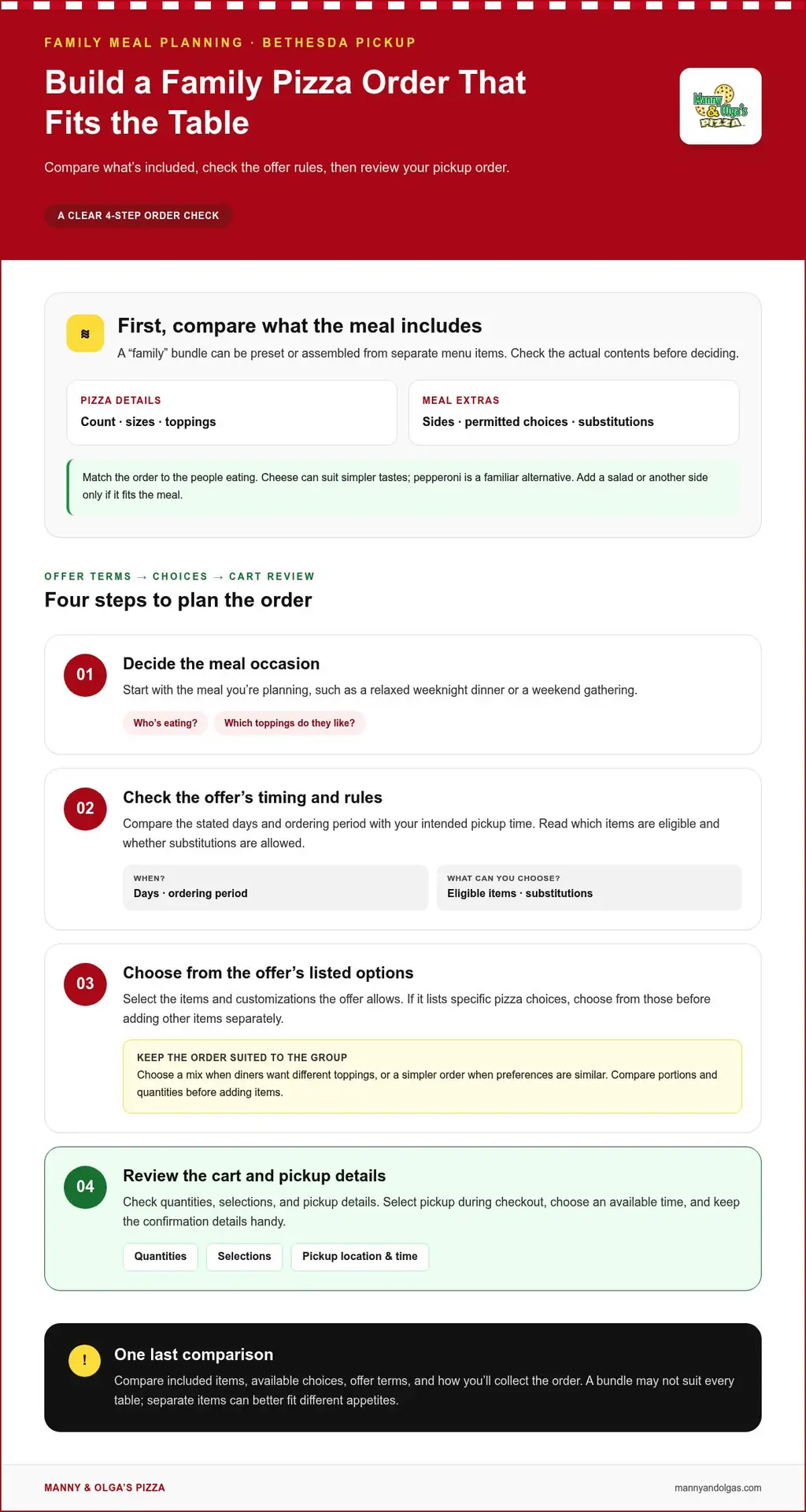
Use this quick sequence to make the order easier:
- Decide which meal occasion you are planning, such as a relaxed weeknight dinner or a weekend gathering.
- Compare the offer’s days and ordering period with your intended pickup time.
- Choose from the items and customizations the offer allows.
- Review the final cart for quantities, selections, and pickup details.
A promotion may limit the included choices or be available for a limited period. Treat its displayed terms as part of the offer. If it lists specific pizza choices, select from those before adding other items separately.
Pickup planning also affects the order sequence. Select pickup during checkout, choose the available time shown, and keep the confirmation details handy. A family deciding between two toppings can settle that choice before ordering, making the final review quicker and clearer.
Keep your comparison practical: check included items, available choices, offer terms, and how you’ll receive the order. These details help you judge whether a bundle suits your household or whether separate items better fit different appetites.
What pizza restaurants in Bethesda, Maryland offer family meal deals?
For family pizza meal deals in Bethesda, start with each restaurant’s online menu. Look for “family,” “group meal,” “bundle,” or “combo” categories. Restaurants may use different labels for similar offers, so search more than one term. Open each result’s details to see the food and ordering conditions, rather than relying on its headline.
Compare the actual contents of each offer. Note the pizza sizes, quantities, permitted toppings, and any included sides. For example, a fixed bundle may suit a family that likes the same toppings. A build-your-own combination may fit better when diners want different choices. The description should help you tell these formats apart.
Use the same checklist for every Bethesda menu:
- Included items: Record each pizza, side, and other item.
- Selection rules: See whether toppings or substitutions can vary.
- Ordering method: Check whether you can assemble the offer online.
- Pickup details: Find where checkout shows pickup choices.
Menu organization can make a difference. One restaurant may place a bundle under “Specials,” while another lists group meals beside its pizzas. Search the menu first, then scan those categories if needed. This practical approach can reveal offers that a quick glance at the pizza list might miss.
Consider whether the available choices match your group’s tastes. If several people want different toppings, choose pizzas that offer variety. If everyone likes similar flavors, a simpler order may work well. Compare the menu options with the meal you’re planning.
For family pizza meal deals in Bethesda, pickup details also matter. Open the online ordering flow and look for the pickup option, location, and available timing. Review those details alongside the bundle contents. An offer can look appealing, yet its ordering steps may not suit the way your family plans to collect dinner.
To keep the comparison clear, make a short list of the restaurants you’re considering. Write down each bundle’s contents, customization choices, ordering method, and pickup information. Use the same criteria for every option. This makes meaningful differences easier to spot, including whether you’ll need to add separate items to complete the meal.
Comparing family pizza meal deals in Bethesda is easier when you separate the menu choice from the pickup plan. First find an offer that fits the group. Then check its selection rules and checkout options. For another reference while comparing pizza choices, browse pizza menu choices, then use the same criteria to assess each meal.
Do Bethesda pizza restaurants have weekday, weekend, or limited-time family deal rules?
Family offers can have timing and ordering conditions, so read each deal’s terms before planning dinner. In Bethesda, compare the stated days, ordering period, included items, and pickup choices for the offer you’re considering.
A weekday promotion, for example, can name specific days or hours. A weekend offer can use different qualifying items or ordering conditions. Treat each offer as its own set of rules, rather than assuming one restaurant’s terms apply elsewhere.
Start with the offer description. Find its validity period and whether it applies to online orders, pickup, or another ordering method. If you’re planning a Friday family meal, make sure the deal’s listed days include Friday. If the description names a limited ordering window, plan around that window.
Next, look at which items qualify. A family offer might specify particular pizza choices, sides, or quantities. For example, a listed bundle might allow a choice between two toppings but exclude other menu items. The included choices determine whether the offer matches your family’s preferences.
- Days: Note whether the offer applies on weekdays, weekends, or named days.
- Time: Read any ordering window or end date shown.
- Items: Identify included pizzas, sides, and permitted substitutions.
- Order method: See whether online ordering and pickup qualify.
Limited-time deals need an extra look at the displayed dates or promotion wording. A seasonal promotion, for instance, can have a defined end date or limited menu choices. Save the details while building the order, then compare them with your intended pickup plan before checkout.
Online menus may show offer terms alongside the promotion or in its details. Open the item, review the available choices, and check the cart before submitting. If an offer does not appear as expected, revisit its ordering instructions, since a promotion and a regular menu item may have different ordering steps.
Pickup timing can also shape your plan. Choose pickup in checkout, then compare the available time with the promotion’s stated ordering period. For a family gathering, settle the desired meal time first. This helps you avoid building an order around a window that doesn’t fit your schedule.
Use a simple sequence: identify the meal day, read the promotion period, confirm eligible items, and select pickup. Keep the offer description open while ordering. That makes it easier to spot differences between weekday and weekend terms, especially when a limited-time promotion has its own conditions.
Before submitting, review the order summary against the offer. Check that the selected pizzas and any included sides match the stated bundle. Then confirm the pickup details and chosen time. This final pass connects the deal’s rules with the actual order, so your family can plan around the offer rather than its headline alone.
Are there gluten-free, vegetarian, or allergy-friendly options in Bethesda family pizza deals?
Dietary needs can shape which family bundle works best. Compare each Bethesda menu’s pizza choices, ingredient descriptions, and bundle rules before ordering. A deal may allow different selections, while another may list fixed pizzas. That difference matters when one diner wants a vegetarian option and another needs a gluten-free choice.
For a vegetarian meal, look for a clearly described meat-free pizza. You could pair it with cheese pizza if both suit your family. Read the listed ingredients rather than relying on a photo or item name, and review the available choices before adding an item to your cart.
Read gluten-free descriptions carefully. Look for the exact menu label and any details about the item’s ingredients. A gluten-free designation alone does not explain preparation or handling. If a guest has an allergy or strict dietary restriction, ingredient and preparation information matter alongside the pizza choice.
Keep these distinctions in mind while comparing offers:
- Vegetarian preference: Look for meat-free items and read their ingredient descriptions.
- Gluten-free choice: Check how the menu identifies the option and what details it provides.
- Allergy concern: Read ingredient and allergen information, not just the bundle name.
- Bundle limits: See whether the offer permits separate selections for different diners.
Choosing a pizza without a disliked ingredient may not address an allergy. For example, someone avoiding a specific ingredient may need information about both the recipe and food handling. Do not treat “vegetarian” or “gluten-free” as a complete description of allergy controls. Use the menu’s stated details to distinguish a preference from an allergy-related need.
Build the order around the most important dietary need first. Identify the diner’s restriction, locate matching menu descriptions, then see whether the family offer includes that choice. If the bundle’s fixed contents don’t suit the group, compare separately selected items instead. This method keeps the dietary requirement central, rather than forcing a poor fit into a deal.
Online ordering makes it easier to review menu details. Open each pizza description, note its listed ingredients and dietary labels, then check your selections in the cart. If your family wants a meat-free pizza alongside another style, confirm both choices are included before submitting.
Keep a simple note for the order: the needed dietary option, the exact menu wording, and any relevant ingredient information. That helps the person placing the order communicate the meal clearly to the rest of the group. For a closer look at available pizza choices, browse the pizza menu and compare its descriptions with your family’s needs.
Manny & Olga’s Pizza: Cheese Pizza
Manny & Olga’s Pizza gives Bethesda families familiar choices for a shared meal. Cheese Pizza is a simple crowd-pleaser, while Pepperoni Pizza offers a classic option. Manny’s Special Pizza and Meat Lovers Pizza add more choices when your group wants different flavors.
For a mixed order, compare everyone’s topping preferences before choosing. That makes it easier to select pizzas your family will look forward to sharing, then arrange the meal for pickup. Explore the menu when you’re ready to plan your order.
Visit Manny & Olga’s Pizza online to explore the menu.
Make Your Next Family Meal Easy to Plan
Make your next family meal easier by asking who wants a familiar favorite and who’d like to try something different. For family pizza meal deals in Bethesda, those preferences can guide an order everyone can enjoy. Gather the choices first, then select your pizzas and arrange pickup or delivery.
Manny & Olga’s Pizza offers Cheese Pizza, Pepperoni Pizza, and Manny’s Special Pizza. Those choices give your group distinct flavors to consider as you plan. Think about which pizza will please the broadest mix of appetites, then add another choice for family members who want variety.
Ready to take the next step? Contact Manny & Olga’s Pizza today to discuss your order. A little planning can turn dinner into an easy moment to share, with warm pizza at the center of the table.
Frequently Asked Questions
What are the current prices for family pizza deals in Bethesda?
Current totals depend on the pizzas, portions, sides, and order details selected. Request a quote for the specific order to get its price. To compare offers fairly, include the full meal your household wants, rather than judging a bundle by its headline alone. A pizza-only order and one with sides are different meals, so compare their contents before deciding what suits dinner.
What sizes and number of pizzas are included in Bethesda family pizza deals?
Pizza sizes and quantities depend on the items you choose. Read each description and review the cart for the selected pizzas, sizes, and toppings before checkout. Compare the portions with the number of people eating and their appetites. For a group with varied preferences, separate pizzas can be easier to share than one topping choice for everyone.
Which Bethesda pizza meal deals include sides, drinks, or desserts?
Check the listed items before assuming a side or dessert comes with an offer. Manny & Olga’s menu includes Buffalo Wings, Garden Salad, Greek Salad, Baklava, and Cheesecake. These are menu options, not a promise that they’re included in a family offer. Review the cart to see what you selected.
Are there family pizza deals for pickup, delivery, or both in Bethesda?
Manny & Olga’s Pizza offers pickup and delivery in Bethesda. Choose the method that fits your plans and follow the ordering prompts. For pickup, coordinate the order with your trip; for delivery, enter the destination details accurately. Review the order summary and selected service method before submitting.
Which Bethesda pizzerias offer deals for large families or groups?
For larger Bethesda gatherings, Manny & Olga’s Pizza offers catering and party platters. They can suit an event that calls for more than a standard family meal. Consider the food your group wants, such as pizza alongside platter options, and how guests will serve themselves. The right format depends on the occasion and the variety your gathering needs.
What are the best-value family pizza deals in Bethesda by price per person?
Compare meal options by considering the total order, the number of people eating, portions, and included items. A lower total may not suit your group if you need to add more food separately. Use the same criteria for each option, counting only what’s actually included. This gives you a practical comparison based on your household’s meal.


